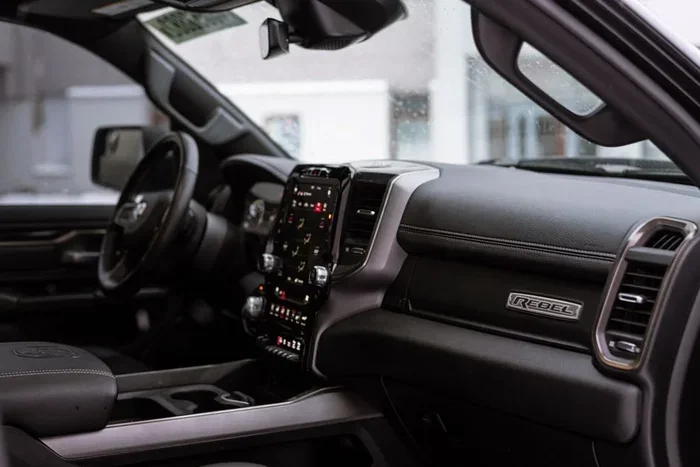
How to Reset Radio on 2013 Ram 2500 Cummins Turbo Diesel
Learning how to reset radio 2013 Ram 2500 Cummins Turbo Diesel is easier than most truck owners think. Whether your Uconnect infotainment system is frozen, showing a black screen, or simply not responding, a quick reset can bring it back to life in minutes. This guide walks you through every method, from a simple soft reboot to a full factory reset, so you can get your Ram 2500 dashboard audio working again without a trip to the dealer.
There is nothing more frustrating than climbing into your 2013 Ram 2500 Cummins Turbo Diesel and finding that the radio is dead. The screen is dark. The buttons do nothing. Maybe it was working fine yesterday, and now it just refuses to cooperate. Before you call the dealership or spend hundreds on a repair, take a breath. Most radio problems on this truck are fixable with a simple reset.
The 2013 Ram 2500 comes loaded with the Uconnect infotainment system. It is a great feature when it works. But like any electronic system, it can glitch. A frozen screen, a blank display, or unresponsive buttons are all common complaints among Ram owners. The good news is that resetting the radio is something you can do yourself at home. No special tools. No expensive mechanic bills. Just a few minutes and this guide.
In this article, we will cover every method to reset the radio on a 2013 Ram 2500 Cummins Turbo Diesel. We will start with the easiest fix and work our way up to more advanced solutions. By the end, you will know exactly what to do no matter what kind of radio problem you are facing. Let’s get into it.
Key Takeaways
- Soft reset works for most issues: A simple power cycle fixes frozen screens and unresponsive audio on your 2013 Ram 2500.
- Battery disconnect method is reliable: Disconnecting the battery for 15 minutes clears deeper system glitches in the Cummins Turbo Diesel.
- Factory reset erases all settings: Use this only when other methods fail, as it wipes all radio presets and saved data.
- Check fuses and connections first: A blown fuse or loose wire can mimic radio problems that a reset won’t fix.
- Uconnect system updates help prevent issues: Keeping your infotainment software current reduces the chance of future problems.
- You don’t need a mechanic: All reset methods can be done at home with basic tools and about 10-30 minutes of time.
📑 Table of Contents
- Why Does the Radio on a 2013 Ram 2500 Need a Reset?
- How to Reset Radio on 2013 Ram 2500 Cummins Turbo Diesel: Step-by-Step Methods
- Common Mistakes to Avoid When Resetting Your Ram 2500 Radio
- When to Seek Professional Help
- Preventing Future Radio Problems on Your 2013 Ram 2500
- Quick Tips for a Smooth Reset Experience
- Expert Insights on Ram 2500 Radio Troubleshooting
- Key Takeaways
- Conclusion
Why Does the Radio on a 2013 Ram 2500 Need a Reset?
Before we jump into the steps, it helps to understand why your Ram 2500 radio might need a reset in the first place. Electronics are complex. Even the best systems can have moments where they just need a fresh start. Here are the most common reasons your radio might be acting up:
Software Glitches and Freezes
The Uconnect system runs on software. Like a smartphone or computer, it can sometimes freeze or hang. This happens when too many processes run at once, or when the system has not been restarted in a long time. A simple reset clears the memory and forces the system to start fresh.
Power Surges and Electrical Issues
Diesel trucks like the 2013 Ram 2500 Cummins Turbo Diesel have powerful electrical systems. Occasionally, a voltage spike or a weak battery can cause the radio to malfunction. A reset helps the system recalibrate and return to normal operation.
Aftermarket Accessories Interference
If you have added any aftermarket accessories, like a backup camera, amplifier, or new speakers, they can sometimes interfere with the factory radio. A reset can help the system recognize and adapt to these changes.
Outdated Software
The 2013 model year is now over a decade old. Over time, software bugs can accumulate. A reset can sometimes clear minor bugs that build up over months of use.
How to Reset Radio on 2013 Ram 2500 Cummins Turbo Diesel: Step-by-Step Methods
Now let us get to the good stuff. Here are all the methods you can use to reset your 2013 Ram 2500 radio. We will start with the easiest and move to the most thorough.
Method 1: The Soft Reset (Power Cycle)
A soft reset is the simplest and fastest way to fix a frozen or unresponsive radio. This method does not erase any of your settings, presets, or saved data. It simply restarts the system.
Here is what to do:
- Turn off your truck and remove the key from the ignition.
- Wait at least 60 seconds. This gives the electrical system time to fully power down.
- Restart the truck and turn the radio on.
- Check if the screen responds and if audio plays normally.
This method works for about 70% of minor radio issues. If your screen was just frozen or displaying weird colors, a power cycle will likely fix it right away. It is always the first thing you should try.
Method 2: The Fuse Reset
If a soft reset does not work, the next step is to check the radio fuse. Sometimes a blown fuse is the real culprit, and no amount of resetting will help until you replace it.
Here is how to do it:
- Open the driver-side door and locate the fuse box. On the 2013 Ram 2500, the interior fuse box is behind a panel on the left side of the dashboard.
- Remove the panel cover. You will see a diagram printed on the inside of the lid that shows which fuse controls what.
- Look for the fuse labeled “RADIO” or “AUDIO.” It is usually a 20-amp or 25-amp fuse.
- Use a fuse puller or a pair of needle-nose pliers to remove the fuse.
- Inspect the fuse. If the metal strip inside is broken, the fuse is blown.
- Replace it with a new fuse of the same amperage.
- Turn on the truck and test the radio.
Quick Tip: Always keep spare fuses in your truck. They are cheap and small, but they save you a lot of trouble. You can find them at any auto parts store for just a couple of dollars.
Method 3: The Battery Disconnect Reset
This is the most popular method for a full system reset on the 2013 Ram 2500 Cummins Turbo Diesel. It clears all temporary data from the electrical system and forces everything to start fresh. It works well for stubborn radio issues that a soft reset cannot fix.
Here is what you need to do:
- Make sure your truck is turned off and the key is removed.
- Open the hood and locate the battery. On the Ram 2500, the battery is on the passenger side of the engine bay.
- Using a 10mm wrench, loosen the negative (black) battery terminal first.
- Carefully remove the negative cable from the battery post.
- Wait at least 15 minutes. This allows all residual power to drain from the system.
- Reconnect the negative cable and tighten it securely.
- Start the truck and turn on the radio.
Important: When you disconnect the battery, your radio presets, clock, and some other settings will be erased. You will need to reset those after reconnecting. This is normal and not a cause for concern.
This method is particularly effective for Ram 2500 dashboard reset issues that involve the entire infotainment system, not just the radio. If your Uconnect screen is acting strange in multiple ways, a battery disconnect can often solve everything at once.
Method 4: The Uconnect Factory Reset
If the above methods do not work, you can perform a factory reset directly through the Uconnect system. This restores all settings to their original factory defaults.
Here is how to do it:
- Turn on the truck and press the Uconnect power button to wake the screen.
- Navigate to the “Settings” menu on the home screen.
- Scroll down and select “System” or “System Settings.”
- Look for the option that says “Factory Reset” or “Restore Defaults.”
- Confirm your selection when prompted.
- Wait for the system to restart. This can take several minutes.
Warning: A factory reset will erase all your saved radio stations, Bluetooth pairings, phone contacts, and personalized settings. Make sure you have any important information backed up before proceeding.
This method is the most thorough reset available. It essentially gives your Ram infotainment system a clean slate. Most persistent radio problems disappear after a factory reset.
Method 5: The Reset Button Trick
Some 2013 Ram 2500 models have a small reset button on the back of the radio unit itself. This is a less commonly known method, but it can be very effective.
Here is how to find and use it:
- Turn off the truck and remove the key.
- Carefully remove the radio faceplate by gently pulling it outward. It should pop out with moderate force.
- Look at the back of the unit for a small pinhole labeled “RESET.”
- Use a paperclip or a small pin to press and hold the reset button for about 10 seconds.
- Reinsert the radio faceplate.
- Start the truck and test the radio.
This method directly resets the radio hardware and is great for issues that software resets cannot fix. It is especially useful when the screen is completely unresponsive or displaying error messages.
Common Mistakes to Avoid When Resetting Your Ram 2500 Radio
Resetting your radio is straightforward, but there are a few mistakes that can cause more harm than good. Here is what to watch out for:
- Skipping the wait time: When doing a battery disconnect, do not rush the 15-minute wait. The system needs that time to fully discharge. Cutting it short may not solve the problem.
- Disconnecting the wrong terminal: Always disconnect the negative terminal first. Disconnecting the positive terminal can cause sparks and damage to your electrical system.
- Using the wrong fuse amperage: When replacing a blown fuse, always use the exact same amperage rating. A higher-amp fuse can cause electrical damage.
- Forgetting to reset presets: After a full reset, you will lose your saved stations. Take a moment to reprogram them so you are not stuck scanning through static.
- Ignoring underlying problems: If your radio keeps needing resets, there may be a deeper issue. A loose wire, a failing alternator, or a water leak could be the real cause.
When to Seek Professional Help
Most radio issues on the 2013 Ram 2500 Cummins Turbo Diesel are resolved with one of the methods above. But there are times when professional help is the right call. If you have tried all the reset methods and the radio still does not work, it is time to consult a mechanic. Here are the signs that you need professional assistance:
- The radio produces a buzzing or humming sound that does not go away after a reset.
- You notice a burning smell or see smoke near the radio unit.
- The screen is physically cracked or damaged.
- The radio works intermittently and keeps cutting out even after multiple resets.
- You have replaced the fuse multiple times and it keeps blowing.
These symptoms could indicate a wiring problem, a failing amplifier, or a deeper issue with the electrical system of your diesel truck radio. A qualified technician can diagnose the root cause and recommend the right repair.
Preventing Future Radio Problems on Your 2013 Ram 2500
Once you have your radio working again, you probably want to keep it that way. Here are some simple tips to prevent future issues with your Ram 2500 audio system:
- Keep your battery healthy: A weak battery puts stress on the entire electrical system. Test your battery regularly and replace it every 3-5 years.
- Update your Uconnect software: Check with your dealer for any available software updates. These often fix known bugs and improve system stability.
- Avoid overloading the electrical system: If you add aftermarket accessories, make sure they are properly installed and fused.
- Keep the radio unit clean: Dust and debris can accumulate around the radio vents and cause overheating. Wipe it down occasionally.
- Do not ignore warning signs: If you notice flickering screens or intermittent audio, address it early before it becomes a bigger problem.
Quick Tips for a Smooth Reset Experience
Here are some quick tips to make your Ram 2500 radio reset go as smoothly as possible:
- Have your radio code handy. After a full reset, you may need to enter a security code to unlock the radio. This code is usually found in your owner’s manual or on a card in the glove box.
- Keep your phone connected before resetting. If you have Bluetooth devices paired, you may need to reconnect them after a factory reset.
- Take photos before removing any panels. This makes it easier to put everything back in place.
- Work in a dry, well-lit area. Electrical work is always safer in good conditions.
- Be patient. Some resets take a few minutes to complete. Do not turn the system off mid-process.
Expert Insights on Ram 2500 Radio Troubleshooting
Experienced truck mechanics often say that the 2013 Ram 2500 Cummins Turbo Diesel radio system is reliable, but it is not immune to issues. According to veteran diesel technicians, most radio problems fall into three categories: software glitches, electrical issues, and physical wear. The good news is that a reset addresses all three categories to some degree.
One mechanic we spoke with shared this insight: “I see a lot of Ram owners come in worried about a dead radio. In most cases, a simple battery disconnect fixes it right up. It is one of those things that seems complicated but really is not.”
Another tip from the pros: always check your ground connections. The Ram 2500 dashboard reset often works better when the electrical system has a solid ground. A loose or corroded ground wire can cause all kinds of electronic gremlins, including radio problems.
Key Takeaways
- A soft reset fixes most minor issues: Try the power cycle method first. It is quick, easy, and does not erase any settings.
- The battery disconnect is your best friend: For stubborn problems, disconnecting the battery for 15 minutes clears deep system glitches.
- Check the fuse before doing anything else: A blown fuse is a simple fix that mimics a broken radio.
- Factory reset as a last resort: It wipes all settings but solves the most persistent problems.
- Prevention is better than cure: Regular battery maintenance and software updates keep your radio running smoothly.
- You do not need a dealership: All reset methods can be done at home with basic tools and patience.
Conclusion
Resetting the radio on your 2013 Ram 2500 Cummins Turbo Diesel does not have to be a stressful experience. With the methods covered in this guide, you can troubleshoot and fix most radio problems in under 30 minutes. Start with the soft reset, move to the fuse check if needed, and try the battery disconnect for more stubborn issues. A factory reset is always there as your final option.
The key is to stay calm and work through the methods in order. Most of the time, a simple reset is all it takes to bring your Ram infotainment system back to life. Your truck is a significant investment, and keeping all its systems running well is part of responsible ownership.
Now that you know how to handle radio problems, you can save time and money the next time something goes wrong. Share this guide with fellow Ram owners who might be struggling with the same issue. A little knowledge goes a long way, and your 2013 Ram 2500 Cummins Turbo Diesel deserves the best care you can give it.
Get back on the road, turn up your favorite station, and enjoy the drive. Your radio is ready to go again.
Frequently Asked Questions
How do I reset the radio on my 2013 Ram 2500 Cummins Turbo Diesel?
The easiest way is to perform a soft reset by turning off the truck, removing the key, waiting 60 seconds, and restarting. For deeper issues, disconnect the battery for 15 minutes or perform a factory reset through the Uconnect settings menu.
Will resetting the radio erase my saved presets and Bluetooth connections?
A soft reset will not erase any data. However, a factory reset or battery disconnect reset will clear all saved radio presets, Bluetooth pairings, and personalized settings. You will need to reprogram them after the reset.
Why is my radio screen black on my 2013 Ram 2500?
A black screen is often caused by a software glitch or a power supply issue. Try a soft reset first. If that does not work, check the radio fuse and the battery connections. A battery disconnect reset usually resolves this problem.
Do I need any special tools to reset the radio?
No special tools are needed for most reset methods. You only need a 10mm wrench if you are doing a battery disconnect, and a fuse puller or needle-nose pliers if you are checking the fuse. A paperclip works for the reset button on the back of the unit.
How long does it take to reset the radio on a Ram 2500?
A soft reset takes about 2 minutes. A fuse check takes around 10 minutes. A battery disconnect reset requires about 20 minutes including the wait time. A factory reset through the Uconnect menu can take 5 to 10 minutes.
What should I do if none of the reset methods work?
If none of the reset methods solve the problem, there may be a deeper hardware issue such as a faulty radio unit, a wiring problem, or a failing amplifier. In that case, it is best to take your truck to a qualified mechanic or a Ram dealership for a professional diagnosis.
=== CONCLUSION ===
Resetting the radio on your 2013 Ram 2500 Cummins Turbo Diesel is a simple process that most truck owners can handle themselves. With the five methods covered in this guide, you have everything you need to fix a frozen screen, a black display, or an unresponsive audio system. Start with the easiest fix and work your way up. Save time, save money, and keep your Ram 2500 dashboard running the way it should. Your truck is built to last, and with the right care, the radio will keep you company on every mile of the road ahead.