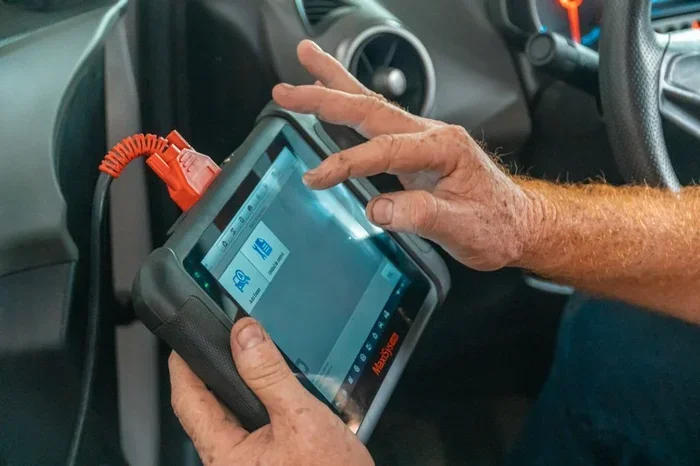
Drain Computer Dodge Challenger Reset
The drain computer Dodge Challenger reset is a straightforward fix that clears hidden faults and restores your vehicle’s electronic systems to factory defaults. Whether you are dealing with a stubborn check engine light or just replaced your battery, this reset can solve many common electrical and performance problems. This guide covers every step of the process, from preparation to post-reset testing, so you can handle it yourself with confidence.
Key Takeaways
- Simple Process: Draining the computer on a Dodge Challenger is a quick fix that most owners can do at home with basic tools.
- Clears Hidden Faults: A reset clears stored error codes and allows the ECU to relearn optimal settings from scratch.
- Solves Common Issues: This procedure helps with check engine lights, electrical gremlins, and poor performance after a battery swap.
- Requires Patience: Skipping the relearn phase or rushing the process can lead to the same problems returning.
- Know When to Get Help: Some electrical issues need professional diagnostics, especially if the PCM itself is failing.
- Safety First: Always follow proper safety steps to protect yourself and your vehicle’s electronics during the reset.
📑 Table of Contents
- What Is a Drain Computer Dodge Challenger Reset?
- Why You Need to Drain the Computer
- Step-by-Step Drain Computer Reset Process
- Common Mistakes to Avoid When Draining the Computer
- Post-Reset: What to Expect and How to Relearn Settings
- When to Get Professional Help Instead
- Comparing Drain Reset Methods
- Key Takeaways
What Is a Drain Computer Dodge Challenger Reset?
Every Dodge Challenger runs on a central computer system. This system is called the ECU, which stands for Engine Control Unit. In some models, it is also referred to as the PCM, or Powertrain Control Module. The computer manages everything from fuel injection to idle speed. It also monitors sensors and stores error codes when something goes wrong.
A drain computer Dodge Challenger reset means cutting power to this system so it clears all stored data. Think of it like restarting your phone when it starts acting glitchy. The computer wipes its temporary memory and starts fresh. This process resets learned adaptations, clears fault codes, and can fix a surprising number of electronic issues.
Many Dodge Challenger owners run into electrical quirks over time. The check engine light might stay on even after fixing the original problem. Idle speed might feel off. Transmission shifts could seem harsh. In many of these cases, a computer reset solves the problem without expensive repairs.
How the Computer System Works in Your Challenger
The Dodge Challenger ECM uses sensors to read engine conditions in real time. It adjusts fuel delivery, spark timing, and emissions systems based on this data. Over time, the computer develops adaptations. These are learned values that fine-tune performance for your specific driving habits.
When something disrupts the system, the computer stores Diagnostic Trouble Codes, or DTC codes. These codes help mechanics identify problems. But sometimes the codes stay stored even after the issue is resolved. That is where a drain computer Dodge Challenger reset becomes essential.
Why You Need to Drain the Computer
There are several common reasons why you might need to perform a drain computer Dodge Challenger reset. Understanding these reasons helps you decide if this is the right fix for your situation.
After Battery Replacement or Dead Battery
The most common reason is a battery change. When you disconnect or replace the battery, the computer loses its power source. However, many Dodge Challenger models do not fully clear all stored data this way. A deliberate drain battery computer reset ensures the system starts completely clean.
After a battery replacement, you may notice rough idle, shifting issues, or a check engine light. These problems often happen because the computer needs to relearn basic operating parameters. A full reset triggers this relearn process automatically.
Persistent Check Engine Light
If your Dodge Challenger check engine light stays on after you have fixed the underlying issue, the stored codes may still be present. A reset clears these codes and gives the system a fresh start. The computer then monitors whether the problem truly returns or was a one-time event.
Electrical Gremlins and Unexplained Issues
Sometimes the Dodge Challenger electrical system develops strange behaviors. Gauges might act erratically. Lights might flicker. The radio might reset every time you turn off the engine. These symptoms often point to a computer that needs to be refreshed through a drain computer Dodge Challenger reset.
After Installing Aftermarket Parts
Installing aftermarket parts like cold air intakes, exhaust systems, or performance chips can confuse the factory computer. A reset helps the ECU reset steps recalibrate to the new hardware. This ensures optimal performance and prevents false error codes.
Step-by-Step Drain Computer Reset Process
Performing a drain computer Dodge Challenger reset is easier than most people think. You do not need expensive tools or advanced mechanical skills. Here is the complete process broken down into simple steps.
Step 1: Gather Your Tools
Before you start, make sure you have the right tools on hand. You will need a basic socket set, a wrench, and a memory saver device if you want to preserve your radio presets and clock settings. A memory saver plugs into the OBD port and keeps power flowing to the computer while you work.
You should also have your owner’s manual nearby. Different model years may have slightly different procedures. The 2015 through 2023 Dodge Challenger models share a similar process, but it is always good to double-check.
Step 2: Park on a Flat Surface and Turn Off the Engine
Park your Challenger on a level surface. Engage the parking brake. Turn the ignition off and remove the key. Let the engine cool down for at least ten minutes before you begin. This prevents burns and protects sensitive electronic components.
Step 3: Locate the Battery
Open the hood and locate the battery. On most Dodge Challenger models, the battery sits in the front driver’s side area. You will see the positive terminal, marked with a plus sign, and the negative terminal, marked with a minus sign.
Always disconnect the negative terminal first. This is a critical safety step. Disconnecting the negative terminal prevents short circuits and protects the vehicle’s electrical system.
Step 4: Disconnect the Negative Terminal
Use your wrench to loosen the nut on the negative terminal clamp. Carefully lift the cable off the battery post. Tuck the cable away so it cannot accidentally touch the terminal again. You should hear no clicks or electrical sounds when you do this.
Now wait. This is the actual drain part of the process. You need to wait at least fifteen to thirty minutes. Some experts recommend waiting up to an hour for a complete drain battery computer reset. During this time, the computer capacitor drains and all stored memory clears.
Step 5: Reconnect the Negative Terminal
After your waiting period, place the negative cable back onto the battery post. Tighten the nut securely but do not overtighten. You should feel a snug connection with no wobble.
Step 6: Turn the Ignition and Let the Computer Relearn
Turn the ignition to the ON position without starting the engine. Wait about thirty seconds. You may see dashboard lights flicker. This is normal. The computer is running its initial self-check.
Now start the engine. Let it idle for at least five minutes. Do not drive yet. The computer needs this idle time to begin the computer relearn process. It is relearning idle speed, fuel trim values, and throttle position.
Step 7: Take a Test Drive
After idling, take your Dodge Challenger for a gentle fifteen-minute drive. Avoid hard acceleration at first. Drive at varying speeds to help the computer relearn shift points and fuel delivery patterns. The Dodge Challenger ECU programming will gradually adapt to your driving style again.
Common Mistakes to Avoid When Draining the Computer
Even though a drain computer Dodge Challenger reset is a simple procedure, mistakes can cause problems. Here are the most common errors owners make and how to avoid them.
Rushing the Drain Time
The biggest mistake is not waiting long enough after disconnecting the battery. Fifteen minutes is the minimum. Thirty minutes is better. If you reconnect too quickly, residual charge remains in the system, and the reset may not fully clear stored data.
Disconnecting the Positive Terminal First
Always disconnect the negative terminal first. If you disconnect the positive terminal first, you risk creating a short circuit. The wrench or tool you are using can touch metal parts of the engine and cause a spark. This can damage sensitive electronics or even cause injury.
Skipping the Relearn Phase
Many people disconnect the battery, wait, reconnect, and immediately drive off. This is a mistake. The computer needs idle time and gentle driving to relearn its settings. Skipping this step can lead to rough idle, poor fuel economy, and harsh shifting.
Not Using a Memory Saver
Without a memory saver, you will lose your radio presets, clock settings, and in some cases, power window calibration. A memory saver costs under twenty dollars and saves a lot of frustration. It keeps a small amount of power flowing to the systems while you drain the main computer.
Ignoring Underlying Problems
A reset clears codes, but it does not fix the root cause. If your Dodge Challenger has a genuine sensor failure or wiring problem, the check engine light will return after the reset. Always diagnose and fix the actual problem before performing a reset.
Post-Reset: What to Expect and How to Relearn Settings
After completing a drain computer Dodge Challenger reset, your vehicle will go through a relearning phase. Understanding what to expect during this period helps you avoid unnecessary trips to the mechanic.
For the first few drives, you may notice some changes in how the car feels. The idle might be slightly higher or lower than usual. The transmission may shift differently. These are normal signs of the computer relearn process. The ECU is recalibrating itself based on current conditions.
The Dodge Challenger PCM typically needs between fifty and one hundred miles of driving to fully relearn all parameters. During this period, avoid aggressive driving. Gentle, varied driving helps the computer adapt more quickly and accurately.
You should also monitor the check engine light after the reset. If it does not return within a few days, the reset was successful and the original issue was likely resolved. If the light comes back, there may be a deeper problem that needs further investigation.
DTC Codes and Clear Error Codes Dodge Procedures
After a reset, you can use an OBD-II scanner to check if any codes remain. A clean scan with no codes is a good sign. If codes reappear quickly, the underlying issue is still present. You may need to perform Dodge Challenger troubleshooting to identify the real problem.
Some clear DTC codes require multiple drive cycles to fully erase. A drive cycle is a specific sequence of driving conditions that the computer uses to test various systems. Your owner’s manual includes the drive cycle procedure for your specific model year.
When to Get Professional Help Instead
A drain computer Dodge Challenger reset solves many issues, but it is not a cure-all. There are situations where professional help is the right choice.
If you perform a reset and the same codes return within a few days, something deeper is wrong. Persistent electrical issues may point to a failing Dodge Challenger PCM, damaged wiring harnesses, or corroded connectors. These problems require professional diagnostic equipment and expertise.
Also, if you are uncomfortable working with your vehicle’s electrical system, there is no shame in visiting a qualified mechanic. A professional can perform the Dodge Challenger ECU reset using specialized tools that offer more control over the process. They can also run full system diagnostics to catch issues you might miss.
Finally, if your Dodge Challenger has high mileage and the electrical system is aging, a reset may only provide temporary relief. In these cases, a thorough inspection of the electrical system by a professional is the smartest move.
Comparing Drain Reset Methods
| Method | Best For | Time Required | Tools Needed |
|---|---|---|---|
| Battery Disconnect | Full computer reset, clearing all codes | 30-60 minutes (including wait time) | Wrench, memory saver (optional) |
| OBD-II Scanner Reset | Clearing specific codes, quick reset | 5-10 minutes | OBD-II scanner tool |
| Fuse Pull Method | Targeted module reset | 15-30 minutes | Fuse puller, owner’s manual |
Each method has its place. The battery disconnect method is the most thorough and is the recommended approach for a complete drain computer Dodge Challenger reset. An OBD-II scanner is faster but may not clear all stored adaptations. The fuse pull method works well for targeting specific modules but requires more knowledge of your vehicle’s fuse layout.
Key Takeaways
- A drain computer Dodge Challenger reset clears stored faults and lets the ECU start fresh with no learned adaptations.
- The process involves disconnecting the negative battery terminal, waiting 15-30 minutes, reconnecting, and allowing the computer to relearn.
- Always disconnect the negative terminal first and never rush the drain or relearn phases.
- A memory saver preserves your radio presets and settings during the reset process.
- If the check engine light returns after a reset, there is likely a deeper issue that needs professional diagnosis.
- The full relearn process takes 50-100 miles of gentle driving to complete.
Frequently Asked Questions
How long should I wait after disconnecting the battery before reconnecting?
You should wait at least fifteen minutes, though thirty minutes is better for a complete drain computer Dodge Challenger reset. This waiting period ensures all residual charge drains from the computer’s capacitor and all stored memory clears fully.
Will draining the computer erase my radio presets and settings?
Yes, without a memory saver device, you will likely lose radio presets, clock settings, and power window calibration. Using a memory saver plugged into the OBD port prevents this loss and keeps power flowing to the systems while you drain the main computer.
Can a drain computer reset fix a rough idle on my Dodge Challenger?
Yes, in many cases a rough idle is caused by the computer’s learned adaptations being out of sync. A drain computer Dodge Challenger reset clears these adaptations and allows the ECU to relearn optimal idle settings from scratch. If the rough idle persists after the reset, there may be a physical issue like a vacuum leak or dirty throttle body.
Do I need any special tools to perform the reset?
No special tools are required. A basic socket set and wrench are all you need to disconnect the battery. A memory saver is optional but helpful for preserving settings. An OBD-II scanner is also optional but useful for checking codes before and after the reset.
How often should I drain the computer on my Dodge Challenger?
You do not need to drain the computer regularly. A reset is only necessary when you are experiencing electrical issues, after a battery replacement, or when clearing persistent error codes. Performing unnecessary resets can disrupt the computer’s learned adaptations and cause temporary driving issues.
Is it safe to drive my Dodge Challenger immediately after a reset?
You should wait at least five minutes after reconnecting the battery before driving. Let the engine idle during this time so the computer can begin its self-check and relearn process. For the first fifty to one hundred miles, drive gently and avoid hard acceleration to allow the computer relearn process to complete properly.
=== CONCLUSION ===
A drain computer Dodge Challenger reset is one of the most useful and underrated fixes you can perform on your vehicle. It solves a wide range of electrical and performance issues without expensive trips to the shop. Whether you are dealing with a stubborn check engine light, rough idle, or shifting problems after a battery change, this simple reset can bring your Challenger back to life.
The process is straightforward, requires only basic tools, and takes less than an hour of your time. Just remember to be patient during the drain and relearn phases. Rushing through the steps is the number one reason resets fail to deliver lasting results.
Take the time to follow each step carefully. Disconnect the negative terminal, wait long enough, reconnect properly, and let the computer relearn during gentle driving. If the problem persists after a reset, do not hesitate to seek professional help. A thorough Dodge Challenger troubleshooting session with a qualified mechanic can uncover issues that a simple reset cannot fix.
Your Dodge Challenger is a powerful machine, and keeping its computer system running smoothly is key to getting the best performance and reliability. With the knowledge you have gained from this guide, you are now equipped to handle a drain computer Dodge Challenger reset confidently and effectively.